Krea 2 Turbo
Explore visual ideas with Krea 2 Turbo: images from descriptions, style references, moodboards and a choice of aspect ratios.
What it's the best tool for
- Images and visual concepts from a written description
- Style references and moodboards for a chosen visual direction
- Creativity control for exploring different variations
- Illustration, anime, painterly and photorealistic scenes
- Aspect-ratio choices for a cover, social post or scene
When to reach for something else
- Output tops out at 1K — large-format print needs an upscale
- Turbo trades final-image polish for speed versus the larger Krea 2 tiers
- No negative prompt to explicitly exclude objects
- JPG has no transparency — pick PNG or WEBP when you need it
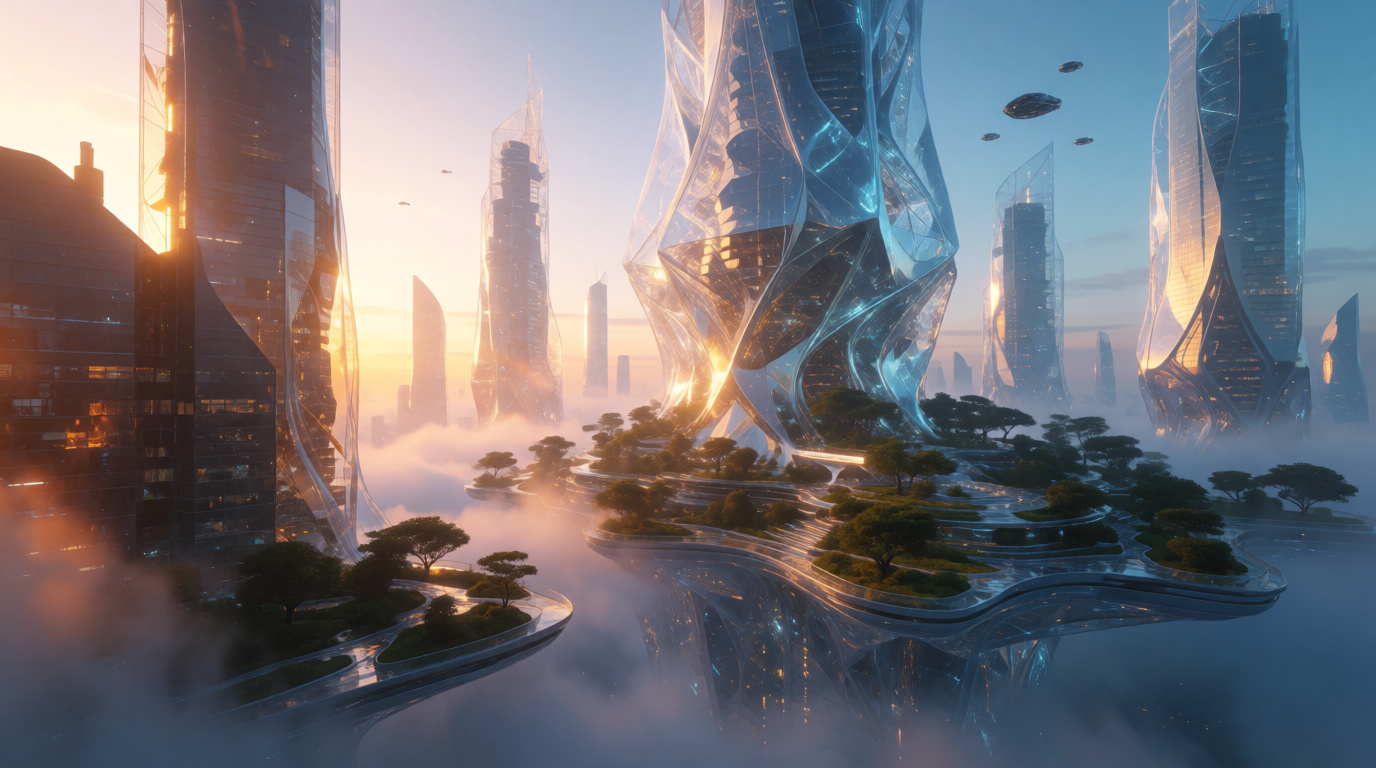
How Krea 2 Turbo responds
Krea 2 Turbo
Four scenarios where it pays for itself
More about Krea 2 Turbo
Krea 2 Turbo — a fast AI image generator
Krea 2 Turbo is the speed tier of the Krea 2 model. Use it to explore ideas, compare prompts and develop early concepts: describe a scene, review the generated image and refine the details for your next variation.
What Krea 2 Turbo does
The model is built around aesthetics and a wide stylistic range — from illustration, anime and painterly looks to photorealism. Describe the composition, lighting and materials, then compare the output with your intended scene. References can guide the visual direction; review the finished image for details and textures. Eight aspect ratios are available at 1K: square 1:1, verticals 4:5, 2:3 and 9:16, horizontals 4:3, 3:2 and 16:9, plus a wide 2.35:1 cinematic frame.
Style references and moodboards
To keep one visual language across a series, add style references and build moodboards — groups of images that set palette, texture, composition and mood. A creativity control decides how strictly the model follows your prompt: raw reproduces the description closely, while high gives the model room for more artistic, unexpected results.
How Turbo is different
Use Turbo during exploration: compare compositions, build moodboards and choose a direction for the next stage. For print or a final layout, assess the output resolution and details separately. Completion time depends on the request and current load; check the NetRoom quote for the selected variation.
Pricing
Select Krea 2 Turbo in NetRoom and describe your scene. The price block and pre-generation quote show the current customer price and applicable conditions. Start with one image, review its composition and refine the prompt for your next variation.
Who it is for
Concept artists, designers, social media and marketing teams — anyone comparing visual options for a project: social covers and posts, moodboards, scene prototypes, and early concept art for games, video and decks.



Use Krea 2 Turbo via the API
The same engine, straight from your code: one key and one balance for text, images, video and sound. Pay only for the requests you make.
curl https://netroom.ai/api/v1/generations \
  -H "Authorization: Bearer YOUR_API_KEY" \
  -H "Content-Type: application/json" \
  -d '{"model": "krea/krea-2-turbo", "input": {"prompt": "A cinematic mountain sunrise"}}'
The model id is already in the example. The full parameter reference and prices live in GET /api/v1/models and in the docs.
Try Krea 2 Turbo
right now
Free access to basic models. No card, no obligations.